What this article says in 30 seconds
- Cream and white rooms need texture contrast and warm undertones to avoid looking flat
- AI can test neutral palettes across every room before you paint or buy furniture
- Use different material layers for living rooms bedrooms kitchens bathrooms and outdoor spaces
- Review outputs for lighting accuracy because white and cream colors change quickly from room to room
Use DesignSense for this workflow when you need to:
- Homeowners planning a calm neutral refresh
- Agents preparing bright listing concepts
- Airbnb hosts who want a clean flexible style
- Designers comparing warm neutral palettes
Cream and white rooms look simple, but they are surprisingly easy to get wrong. Too much cool white can feel flat. Too much cream can look yellow. Too many pale surfaces can disappear in photos. The best cream and white living room or cream and white bedroom usually works because of texture, undertone, shadow, natural materials, and a few quiet accents.
DesignSense AI lets you test those choices from real room photos before you paint, shop, stage, renovate, or brief a designer. Instead of collecting generic neutral inspiration, you can see how cream and white rooms might work in your actual living room, bedroom, kitchen, bathroom, dining room, entryway, office, patio, and exterior.
For the full process behind this workflow, read how to use AI for room redesign and renovation visualization.
Why cream and white rooms need planning
Cream and white palettes depend on small differences. A wall color, rug, sofa, curtain, cabinet, or tile that looks soft in one image can look dull in another room. AI helps you compare options quickly, but the prompts need to be specific.
Use phrases like:
- Warm white walls
- Soft cream upholstery
- Ivory bedding
- Natural oak or light walnut accents
- Linen curtains
- Boucle chair
- Jute or wool rug
- Stone, plaster, ceramic, and woven textures
- Matte black, aged brass, or brushed nickel accents in small amounts
The goal is not an all-white room. The goal is a warm neutral room with enough depth to photograph well.
Room-by-room image guide
Each section below includes an image direction, a title, and a short description you can use while building cream and white room prompts in DesignSense AI.
Whole-home cream and white palette
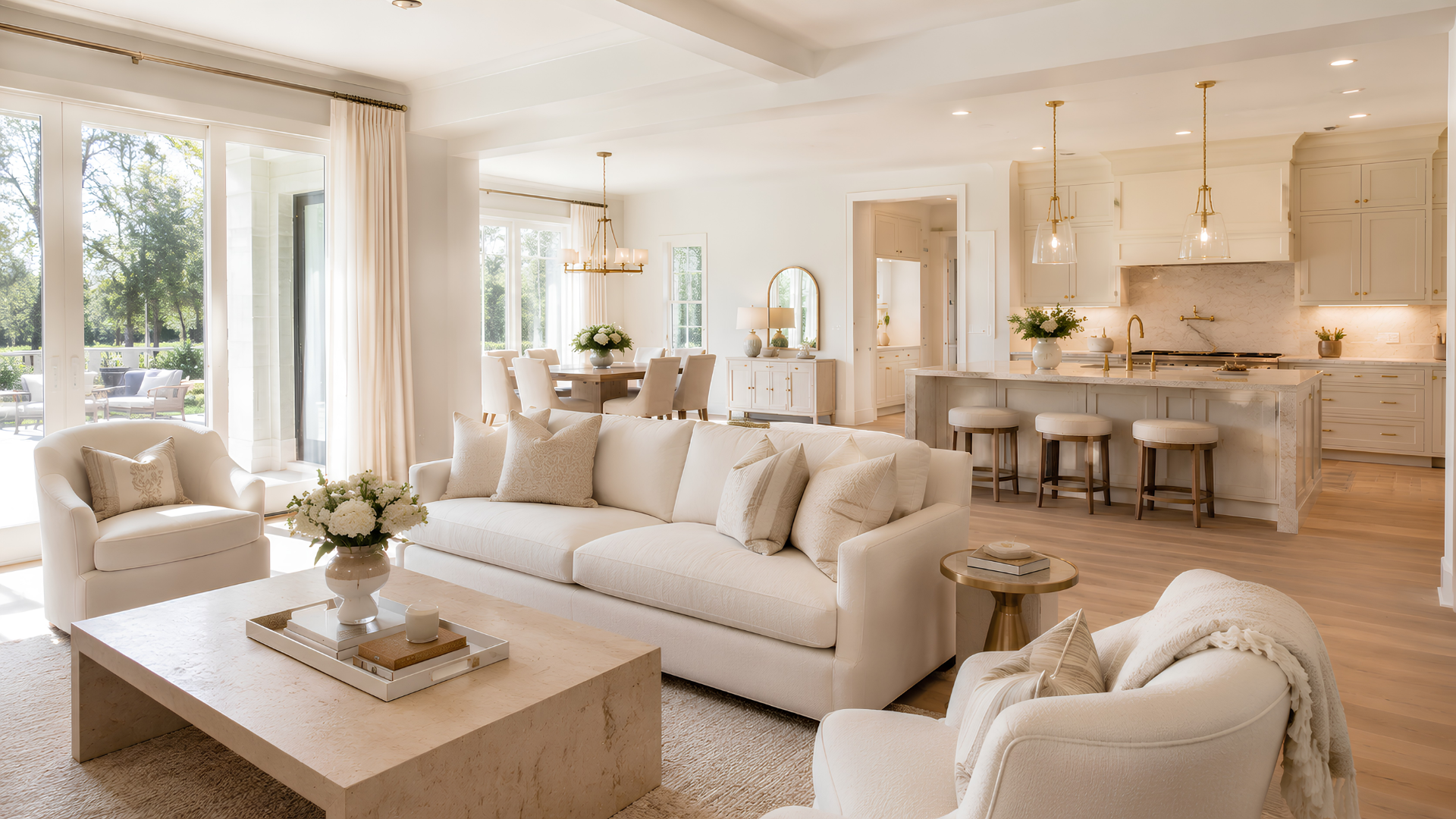
Use this image direction to set the neutral mood for the entire home. A whole-home cream and white palette should repeat undertones, wood colors, rug textures, window treatments, and metal finishes.
Before generating individual rooms, decide whether the home should feel warm modern, Scandinavian, coastal, transitional, farmhouse, or quiet luxury. Cream and white rooms can support many styles, but the prompt should name the style clearly.
Cream and white living room
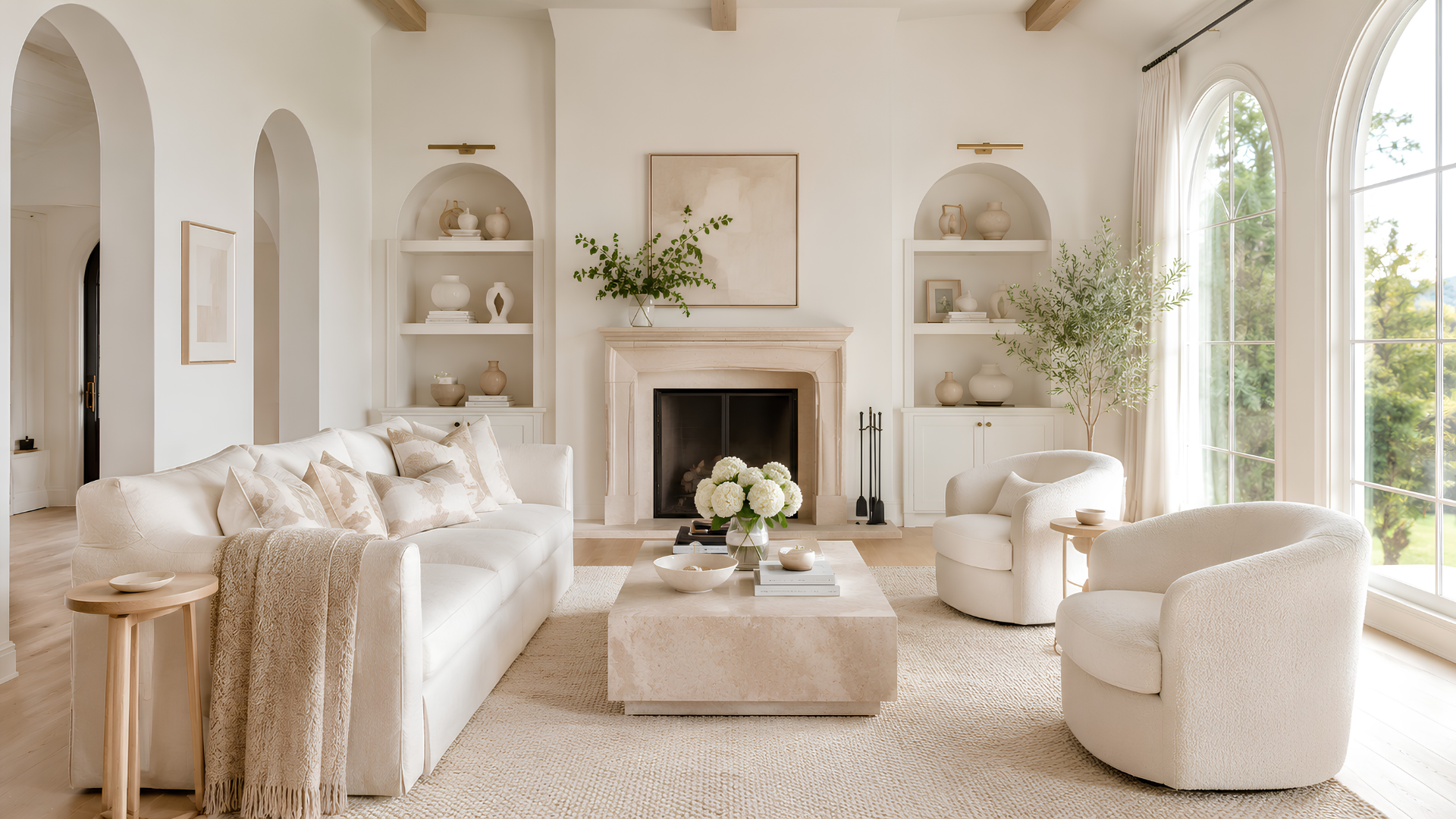
A cream and white living room needs layers: sofa fabric, rug texture, wood tone, pillows, lamps, curtains, art, and natural light. In DesignSense AI, ask for warm white walls, a cream sofa, a light oak coffee table, woven texture, soft lighting, and realistic furniture scale.
If the room looks too plain, add contrast through a black metal floor lamp, stone fireplace, walnut side table, or muted artwork. Small contrast often works better than adding another color theme.
Cream and white bedroom
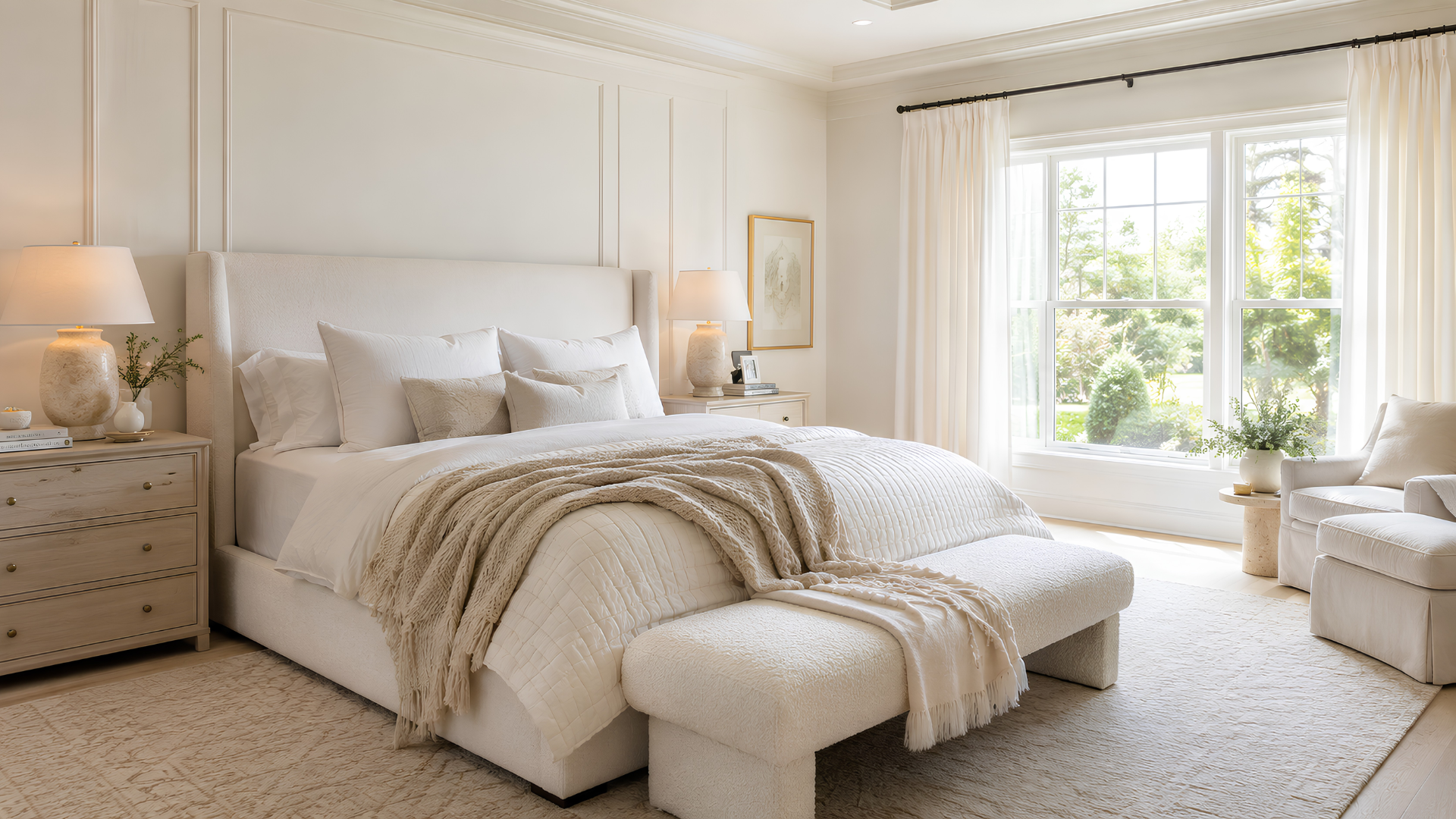
A cream and white bedroom should feel restful, not empty. Prompt for ivory bedding, layered pillows, a textured throw, warm wall color, simple nightstands, soft lamps, and linen or woven window treatments.
Bedrooms are a good place to test undertones. Compare "warm white," "soft ivory," "mushroom," "greige," and "cream" before choosing paint or bedding.
Cream and white kitchen
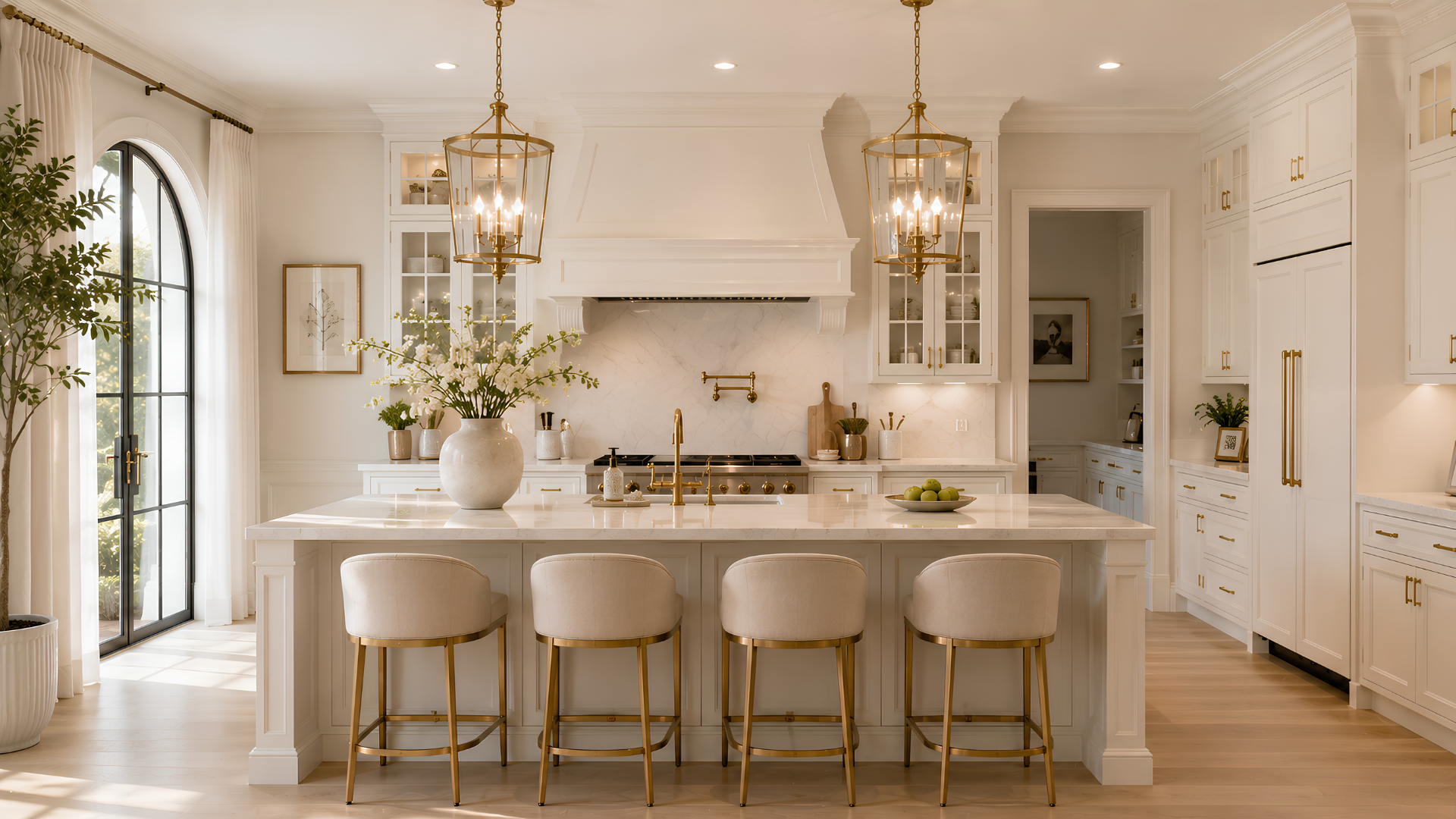
Cream and white kitchens can look elegant when the cabinets, counters, backsplash, stools, and hardware have enough separation. Use AI to test white oak shelves, warm white cabinets, cream tile, marble-look counters, and aged brass or nickel hardware.
Do not rely on AI for final paint or cabinet color matching. Use the images to narrow the direction, then confirm samples under the kitchen's real lighting.
Cream and white bathroom
Turn one room photo into a clearer next step.
Upload one room photo, test a few directions quickly, and keep the option that is easiest to present or ship.
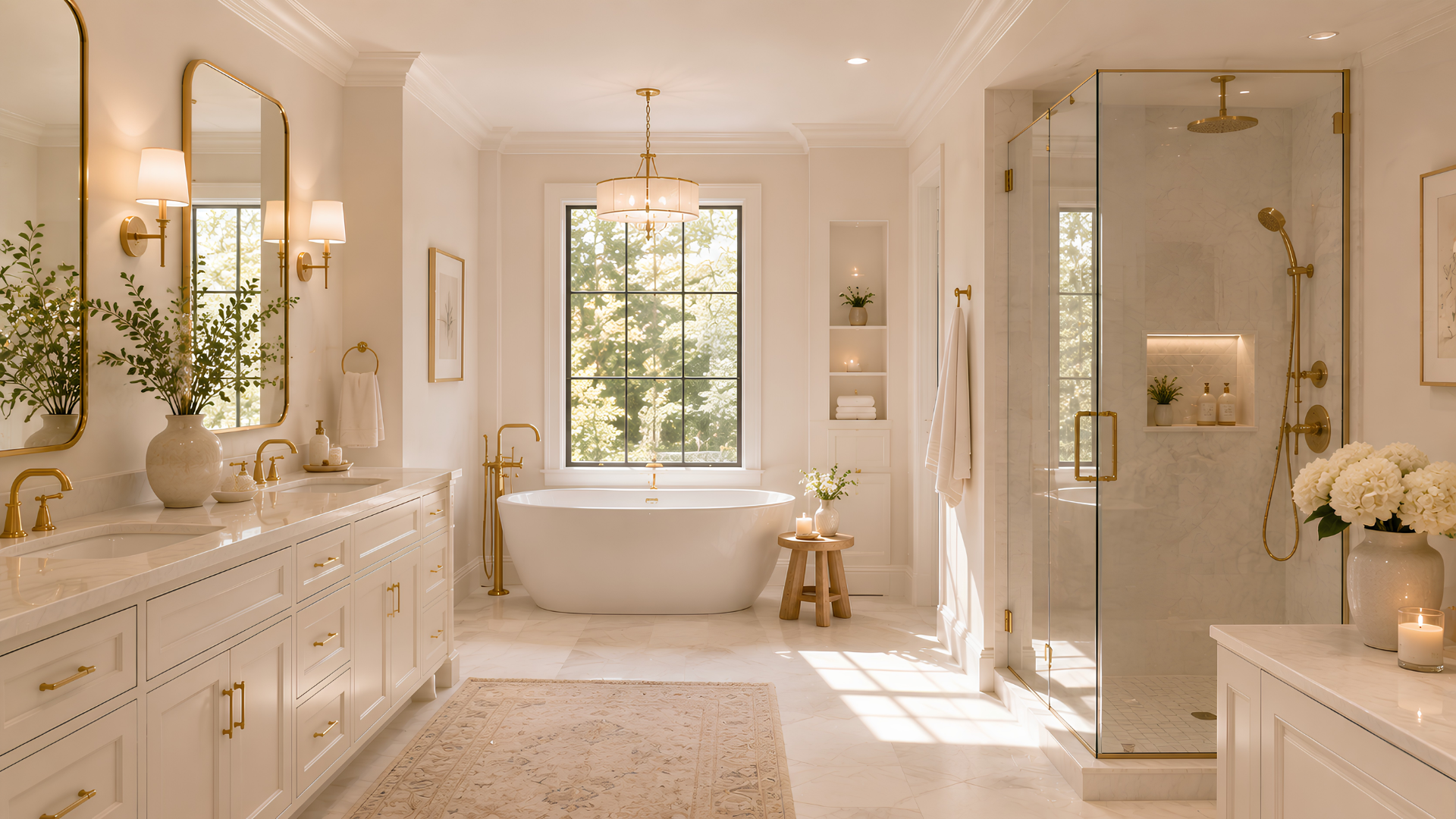
Bathrooms need texture because they have many hard surfaces. Ask for warm white tile, cream stone, natural wood vanity, soft towels, simple sconces, and a mirror that matches the room's scale.
If the AI output looks too sterile, add one organic element: wood vanity, woven basket, stone floor, linen roman shade, or warm metal fixture.
Cream and white dining room
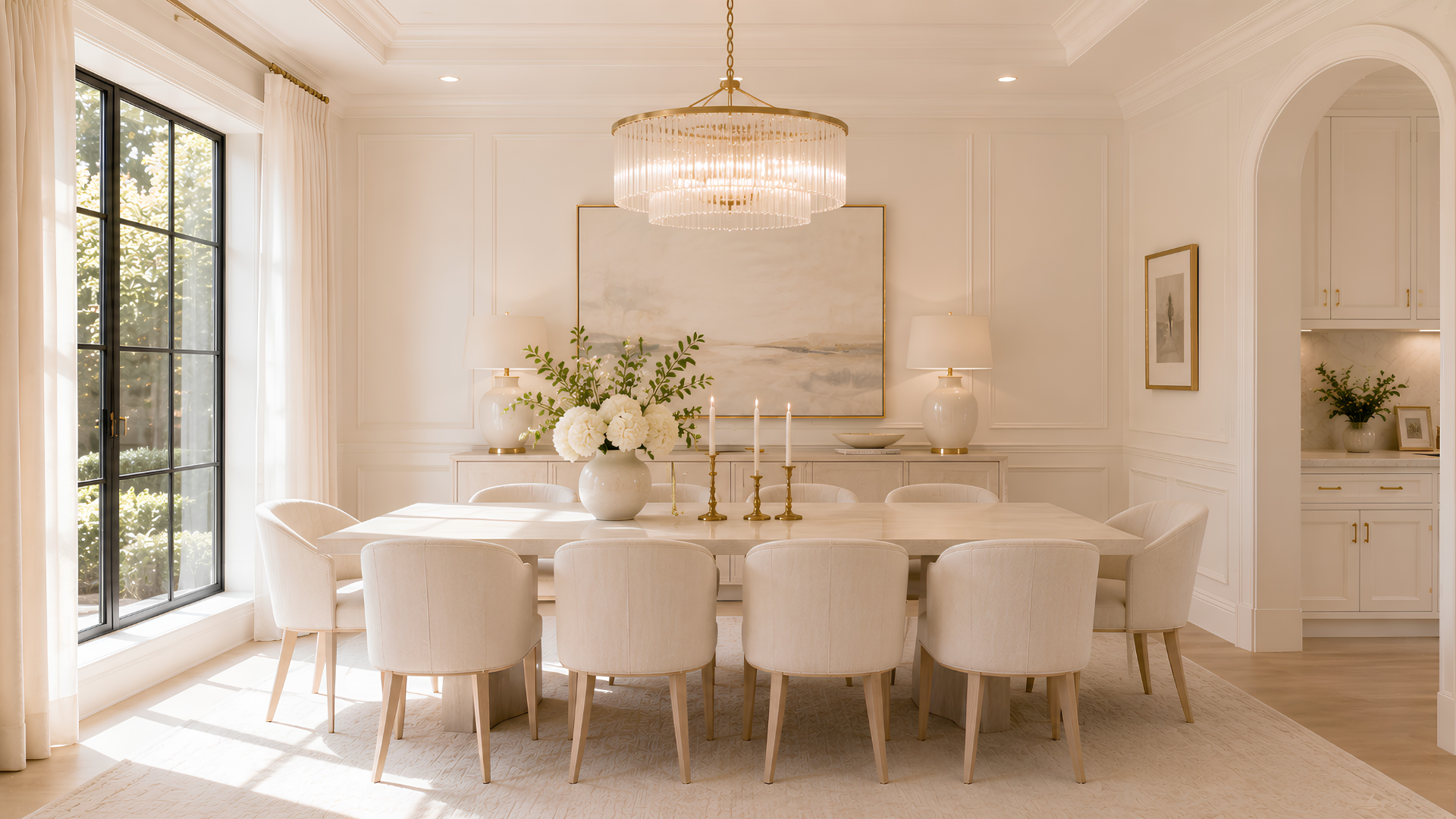
A cream and white dining room should photograph bright while still showing the table, chairs, rug, and lighting clearly. Try a light wood table, upholstered chairs, warm pendant light, textured rug, and off-white wall color.
For rental properties or listings, make sure the AI keeps the correct seating count. A beautiful neutral dining image is less useful if it changes the room's actual capacity.
Cream and white entryway and hallway
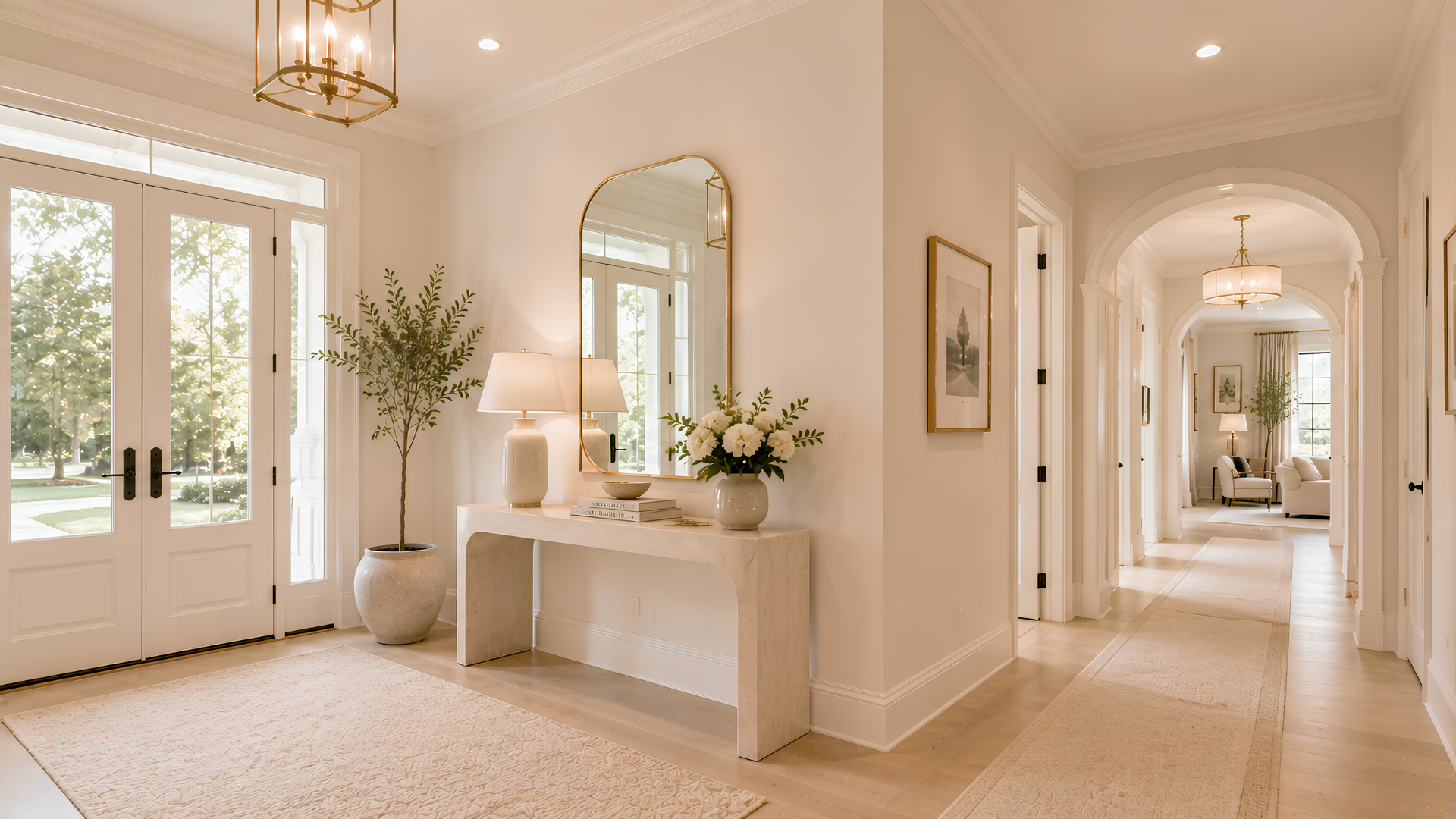
Entryways are ideal for cream and white because they can look clean without feeling cold. Use a slim console, mirror, runner, warm wall light, woven basket, and natural wood details.
Hallways need contrast even more than larger rooms. Ask AI to include a runner, framed art, warm lighting, or subtle trim so the space does not become a blank corridor.
Cream and white home office
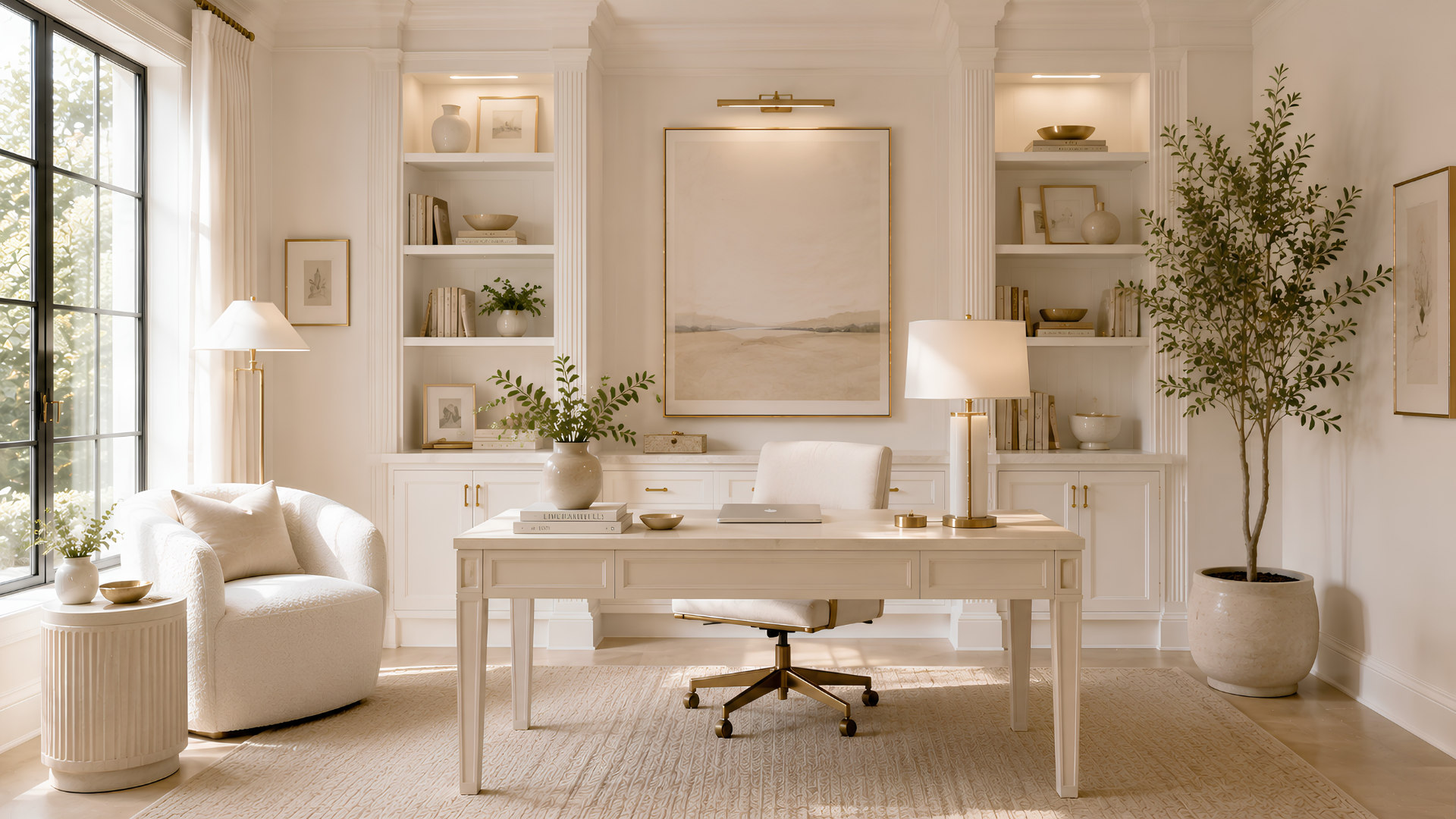
A cream and white home office should look calm but functional. Prompt for a light desk, comfortable chair, storage, warm shelves, layered lighting, and a clean background for video calls.
If you need the office to feel more professional, add quiet contrast through black hardware, walnut shelves, brass task lighting, or framed neutral artwork.
Cream and white patio and exterior
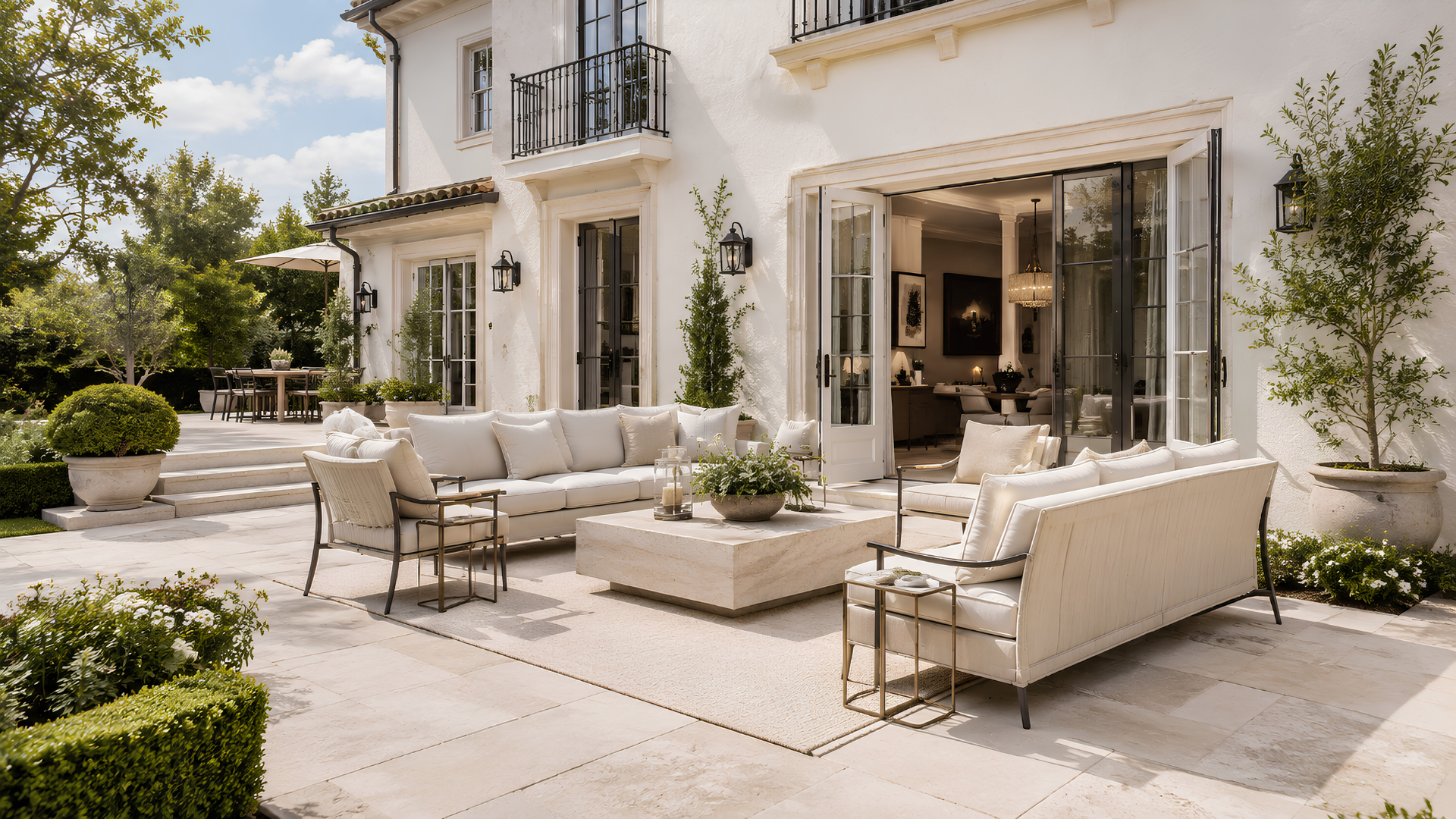
Outdoor cream and white palettes work through cushions, umbrellas, planters, stone, siding, trim, and warm wood furniture. Ask AI to keep the outdoor layout realistic and climate-appropriate.
For exterior concepts, cream and white can modernize a home, but it can also expose maintenance issues. Verify paint, siding, roof color, landscape needs, and neighborhood rules before making permanent changes.
Prompt examples for DesignSense AI
Start with real photos, then use prompts like these:
- "Redesign this living room as a warm cream and white living room with a cream sofa, warm white walls, light oak accents, woven texture, soft lighting, and realistic furniture scale."
- "Create a calm cream and white bedroom with ivory bedding, warm wall color, linen curtains, simple nightstands, and a textured rug."
- "Show this kitchen with warm white cabinets, cream tile, light stone counters, natural wood accents, and brushed brass hardware while keeping the existing layout."
- "Update this bathroom with cream stone, warm white tile, natural wood vanity, soft towels, and the same plumbing locations."
For homeowner planning, pair this with AI room redesign for homeowners. For listing or rental use, read AI interior design for Airbnb listings so the final image set feels appealing and practical.
What to review before choosing a neutral direction
Cream and white AI images should be checked carefully because neutral rooms can hide small problems:
- Are the whites too blue, gray, yellow, or beige?
- Does the room still have enough contrast in photos?
- Did the AI change flooring, windows, or ceiling height?
- Do furniture sizes match the real room?
- Are the materials durable enough for children, pets, guests, or renters?
- Would the palette still work on cloudy days and at night?
If the images are for marketing, disclose any conceptual redesign or virtual staging according to your MLS, brokerage, platform, and local rules. Cream and white rooms should clarify potential without misrepresenting the home.
Final workflow
Create one cream and white concept for the living room, bedroom, kitchen, bathroom, dining room, entryway, office, patio, and exterior. Then compare the set as a whole. Look for repeating undertones, shared wood colors, balanced texture, and realistic light.
DesignSense AI gives you a faster way to find the right neutral direction. The best result is not the whitest room. It is the room that feels calm, warm, dimensional, and believable in your actual home.
Turn one room photo into a clearer next step.
Use DesignSense to move from room photo to a clearer concept without waiting on a slower manual workflow.